Quick Start Guide
Quick Start: Your First Conference in 10 Minutes
This guide walks you through the essential steps to set up Conference Hero and create your first event.
Step 1: Set Up Your Workspace (2 min)
After signing up, name your workspace and set your timezone. Detailed workspace setup →
Step 2: Create a Conference (3 min)
Go to Conferences → New Conference and fill in:
Conference Name — e.g., "SaaStr Annual 2026"
Location — City and venue
Dates — Start and end dates
Lead Goal — Target number of leads to capture
Budget — Total planned spend
Full conference creation guide →
Step 3: Add Tasks from Templates (2 min)
Use our built-in task templates to instantly populate your conference prep checklist. Go to Conferences, select a Conference and scroll down to the Task list. Click Apply Template to select a template like "Standard Conference Prep" to get started. Learn about task templates →
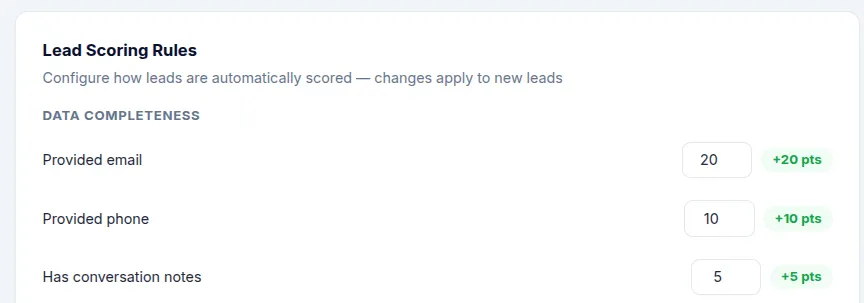
Step 4: Set Up Lead Scoring (2 min)
Navigate to Settings → Workspace → Lead Scoring to customize how leads are scored. Adjust weights for criteria like job title, company size, and engagement level. Configure lead scoring →
Step 5: Connect Integrations (1 min)
If you use HubSpot, connect it now so leads sync automatically. Go to Integrations → HubSpot and follow the OAuth flow. Set up HubSpot →
You're Ready!
Your conference is set up and ready to go. As the event approaches, use the Conference Dashboard to monitor progress, track tasks, and review incoming leads.