Email Overview
Email in Conference Hero
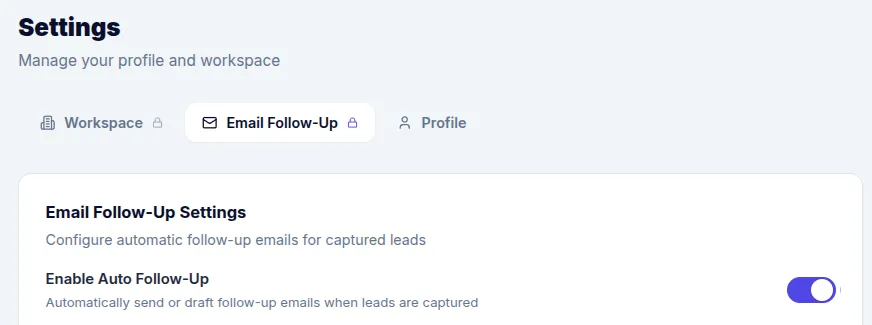
Conference Hero's email system helps you follow up with leads quickly and consistently. From automated post-capture emails to personalized follow-ups, manage all your conference outreach in one place. Email automation needs to be enabled in the Admin Setting. Go to Settings → Email Follow-Up and enable the Option Enable Auto-Follow Up.
Email Drafts
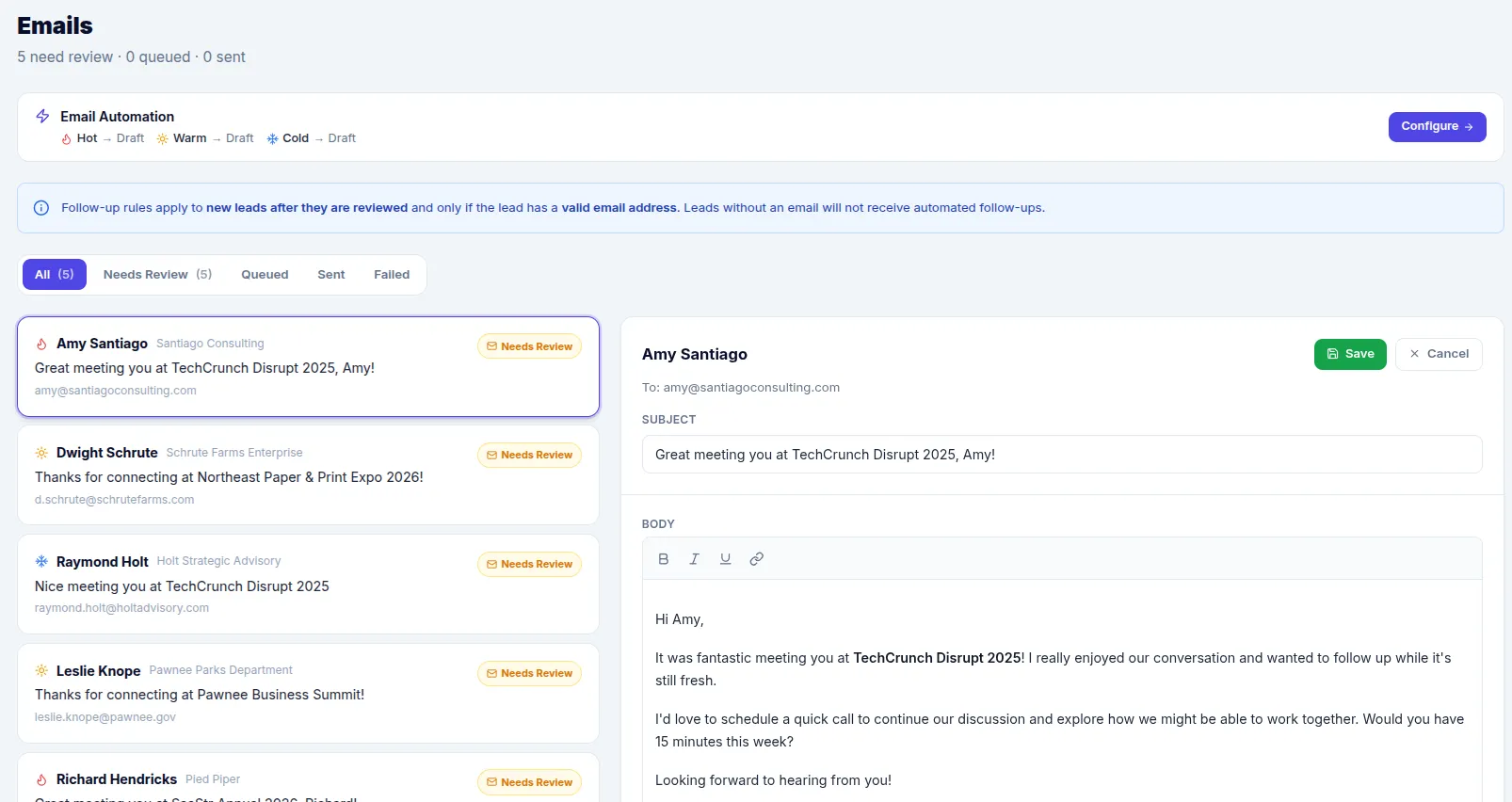
The Emails section in the sidebar shows all email drafts across your conferences. Drafts or Auto-send get created once a Lead was reviewed and has a valid email address.
Each draft includes:
Recipient (the lead's email)
Subject line
Email body (rich text)
Status: Draft, Scheduled, Sent, or Error
Sending Emails
Review and edit drafts before sending. You can schedule emails for a specific date/time or send them immediately.
Key Features
Auto-generated drafts — Created automatically based on your auto-send rules
Rich text editor — Format emails with the built-in editor
Lead context — See lead details alongside the email for personalized follow-up
Batch management — View and manage drafts across all conferences
Related: Auto-Send Rules · Email Templates & Editor