Lead Review Queue
Using the Lead Review Queue
The review queue is where your team evaluates newly captured leads before they enter your pipeline. It ensures data quality and proper categorization.
Accessing the Review Queue
Go to Leads in the sidebar. Leads with a "Pending Review" status appear at the top with an amber badge. The sidebar also shows a count of pending reviews.
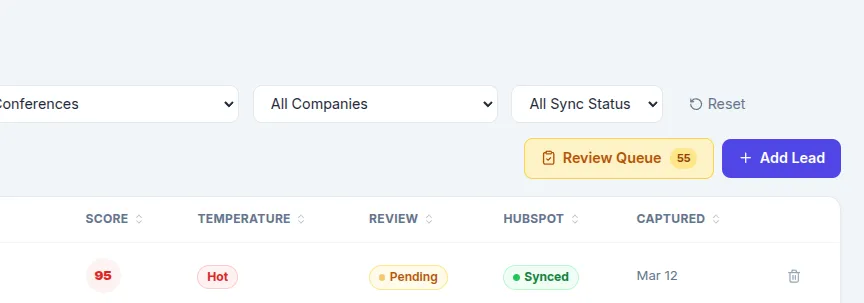
Reviewing a Lead
For each lead in the queue, you can:
View Details — See all captured information, AI score breakdown, and capture method
Categorize — Assign a category (Decision Maker, Influencer, Champion, Evaluator, End User, Partner)
Add Internal Comments — Leave notes for your team about the conversation or next steps
Approve — Mark as reviewed and move to your active pipeline
Dismiss — Remove low-quality or irrelevant leads
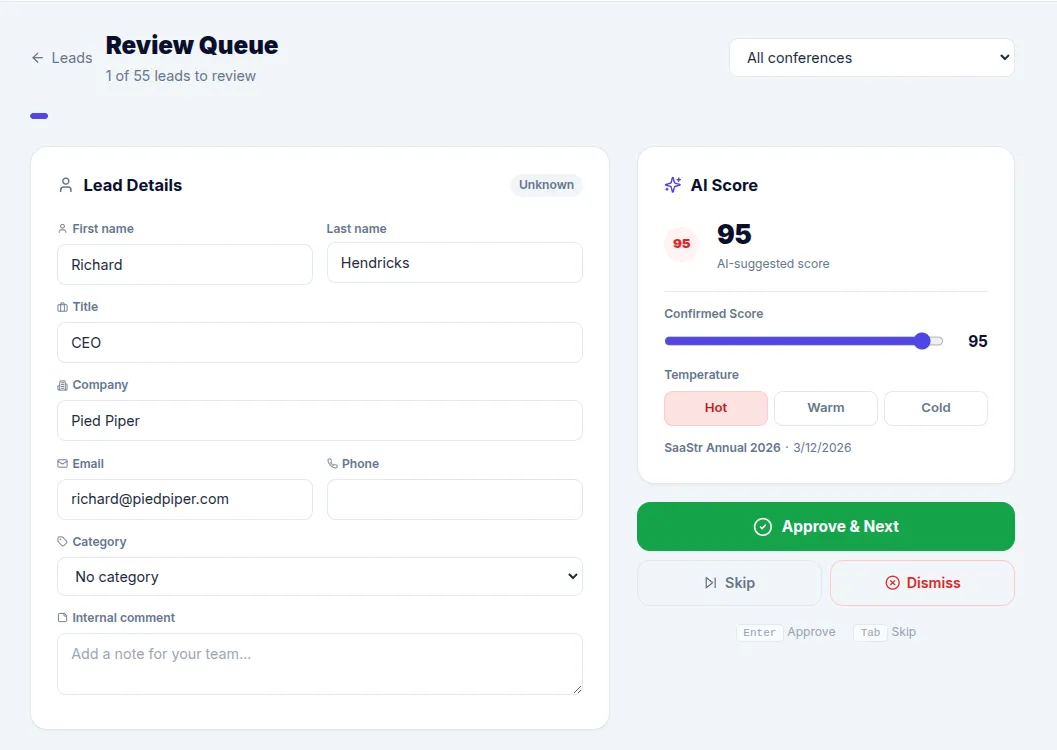
After review, approved leads can be automatically synced to HubSpot. For scoring configuration, see Adjusting Lead Scoring.