Lead Management Overview
How Leads Work in Conference Hero
Conference Hero's lead management system helps you capture, score, review, and follow up with every lead from your conference events.
Capturing Leads
Leads can be captured in several ways:
Lead Capture Link Page
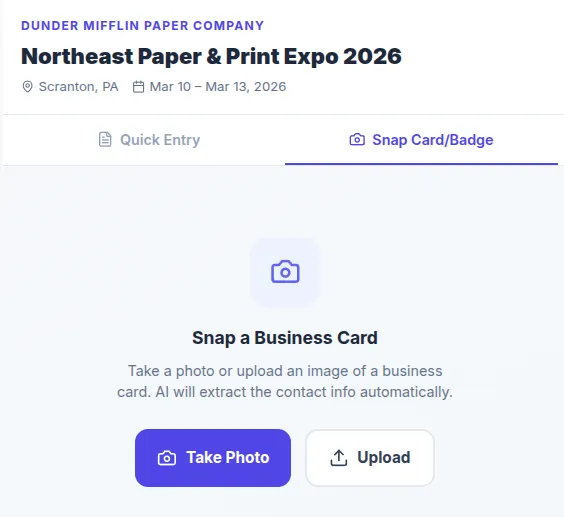
Business Card / Badge Scanning — Use the mobile scanner to capture business card data
Manual Entry — Add leads directly from the Leads page
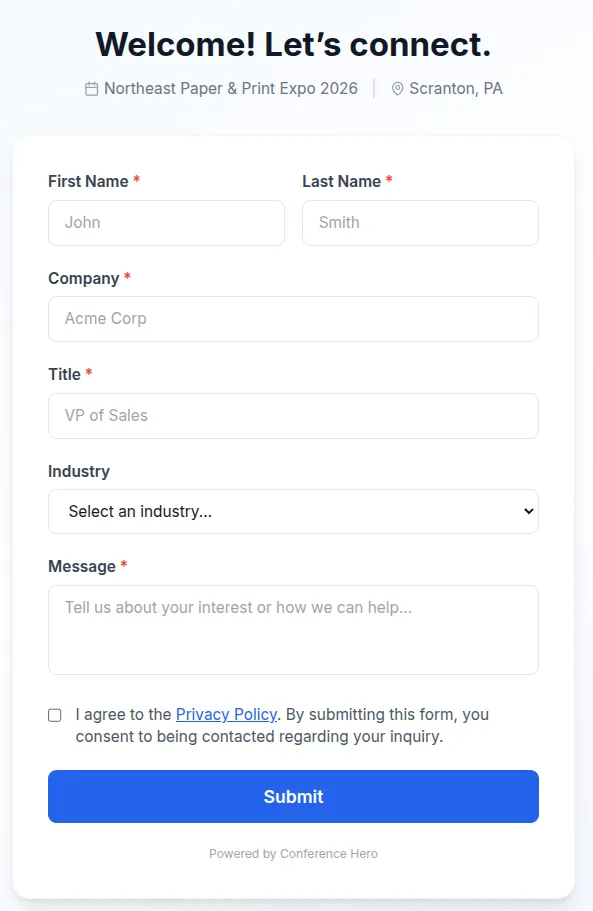
Customer Capture Page
This is a fully customizable customer-facing page - it captures basic information and allows the lead to leave a message. To customize it, use the Customize Page button in the Conference detailed view.
Lead Fields
Each lead includes: first name, last name, company, title, email, phone, notes, and capture method. Leads are automatically scored using your configured scoring rules.
Lead Temperature
Leads are classified by temperature:
Hot — High-priority leads ready for immediate follow-up
Warm — Interested prospects that need nurturing
Cold — Early-stage contacts for long-term pipeline
Pipeline & Review
New leads enter a review queue where team members can review, categorize, and approve them before they enter your CRM. Use the review queue to ensure data quality and proper categorization.
Once approved, leads can be synced to HubSpot automatically.