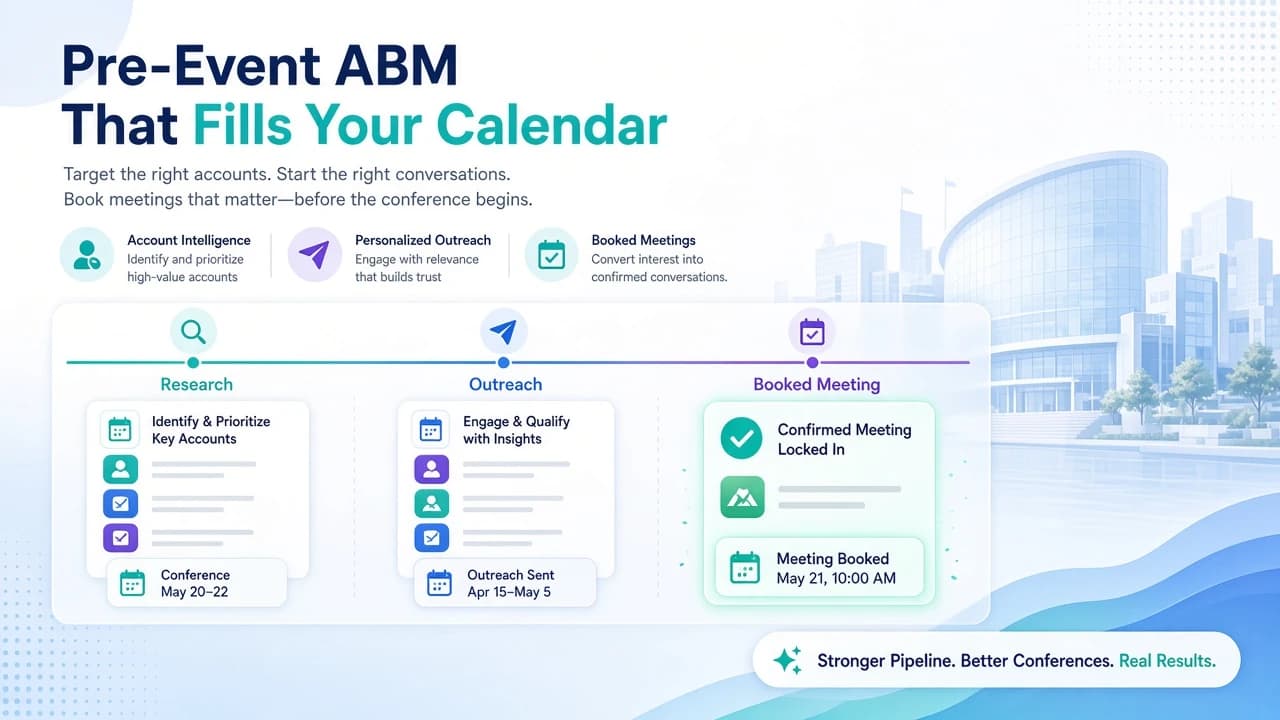
Conference task planning is one of the most time-consuming parts of preparing for a B2B event, and it's one of the easiest places for things to fall through the cracks. Conference Hero's Agentic AI task planner changes that by reading your event documents and generating a structured, editable task list in seconds. Here's exactly how it works.
What Is Agentic AI Task Planning for Conferences?
Agentic AI refers to AI systems that take goal-directed actions on your behalf, rather than just answering questions. In the context of conference planning, that means the AI reads your uploaded documents, identifies what needs to happen before, during, and after the event, and builds a prioritized task list without you manually writing each item.
Teams we've worked with typically spend 3 to 5 hours building a conference checklist from scratch. With Conference Hero's Agentic AI planner, that drops to under 10 minutes. The real value isn't just speed. It's consistency. The AI catches logistics that humans routinely miss, like badge pickup windows, freight deadlines, or lead scanner activation steps buried on page 14 of an exhibitor guide.
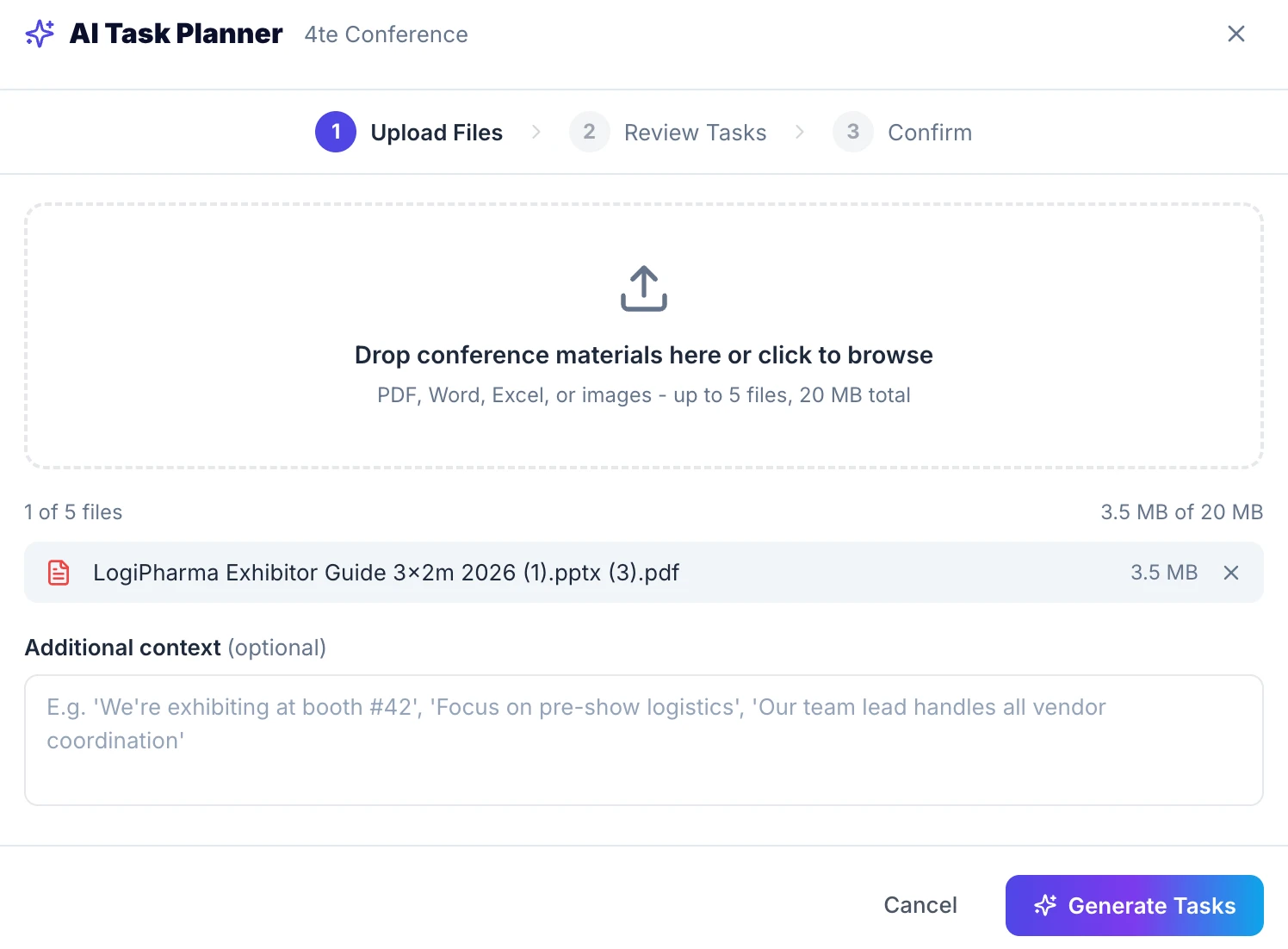
Step 1: Upload Your Event Documents and Add Context
Start by uploading up to 5 documents. Common inputs include:
Exhibitor or sponsor guides
Conference agendas or session schedules
Hotel and venue logistics packets
Internal sales playbooks or meeting prep briefs
Previous event retrospective notes
After uploading, you have the option to add context in plain text. This is where you can tell the AI things the documents don't cover. For example: "We have a team of 4 attending, we're hosting a private dinner on night two, and our primary goal is booking 15 qualified meetings." That context shapes how the AI prioritizes and frames the tasks it generates.
Expected outcome: The AI has everything it needs to generate a relevant, specific task list tied to your actual event, not a generic conference checklist template.
Step 2: Generate Your Task List With One Click
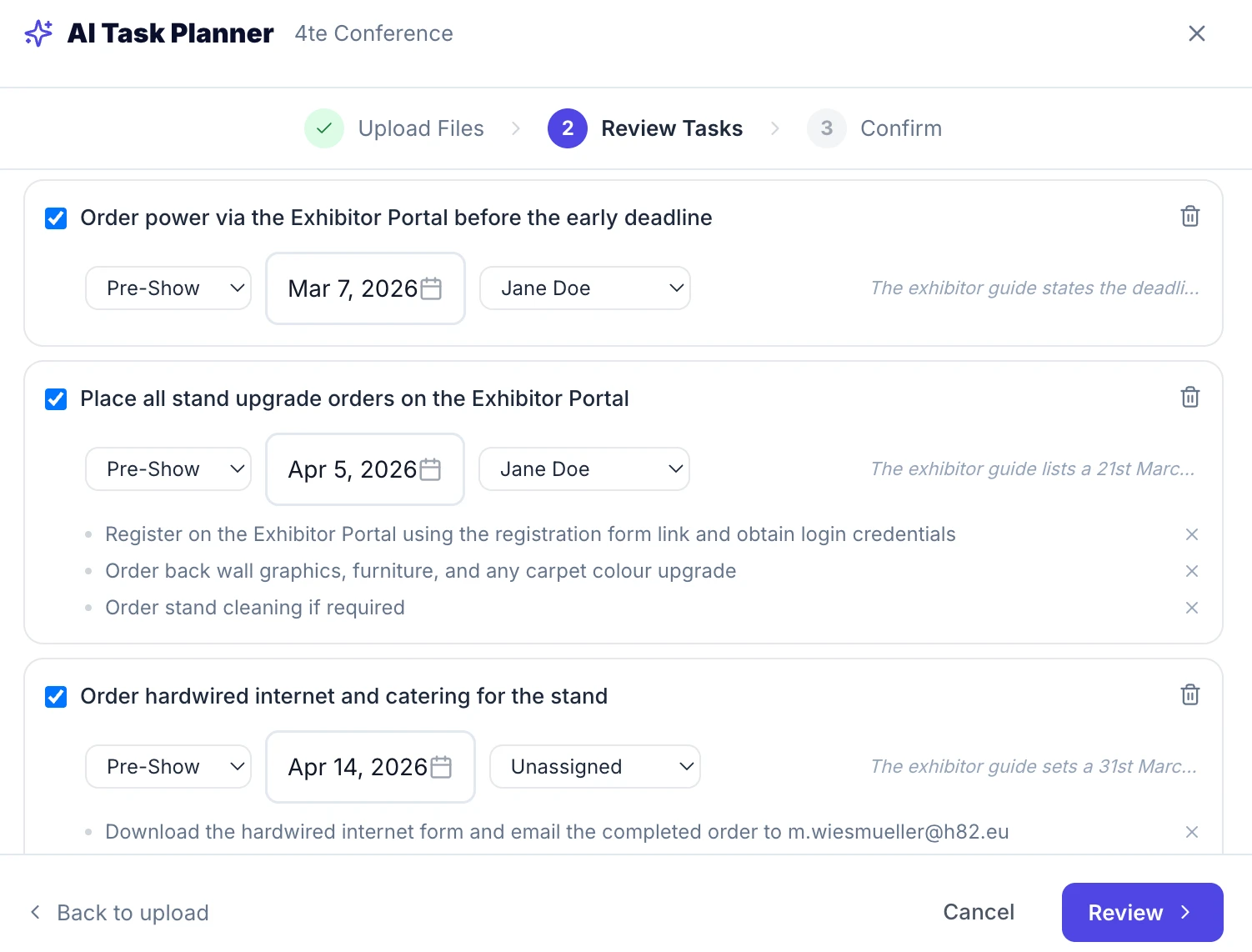
Click "Generate Tasks" and Conference Hero's AI agent processes your documents and context together. Within seconds, it produces a structured list of tasks and sub-tasks organized by category, such as pre-event logistics, booth setup, meeting scheduling, and post-event follow-up.
The output isn't vague. Instead of "prepare for the event," you get tasks like "Submit lead scanner request to exhibitor portal by [deadline from document]" or "Confirm catering headcount for private dinner 72 hours in advance." The AI pulls specific deadlines, contacts, and requirements directly from your uploaded materials.
In our experience, the AI typically surfaces 20 to 40 tasks for a mid-size conference attendance, depending on the complexity of the documents and the context provided.
Expected outcome: A complete, event-specific task list generated from your actual documents, with deadlines and ownership fields ready to edit.
Step 3: Review, Edit, and Reassign Tasks
No AI output is perfect out of the box, and Conference Hero is built with that assumption in mind. After generation, you have full control over the task list.
Action | What You Can Do |
|---|---|
Modify tasks | Edit task names, descriptions, or deadlines inline |
Add tasks | Insert new tasks or sub-tasks the AI didn't capture |
Remove tasks | Delete anything that doesn't apply to your situation |
Reassign tasks | Assign individual tasks to specific team members |
Adjust sub-tasks | Break down or consolidate sub-tasks as needed |
This step is where your team's judgment matters most. The AI handles the heavy lifting of extraction and structure. You handle the decisions about ownership and priority that only your team can make.
Expected outcome: A refined task list that reflects your team's actual responsibilities, with clear ownership assigned before anyone sets foot at the venue.
Step 4: Save as a Template and Add Tasks to Your Conference
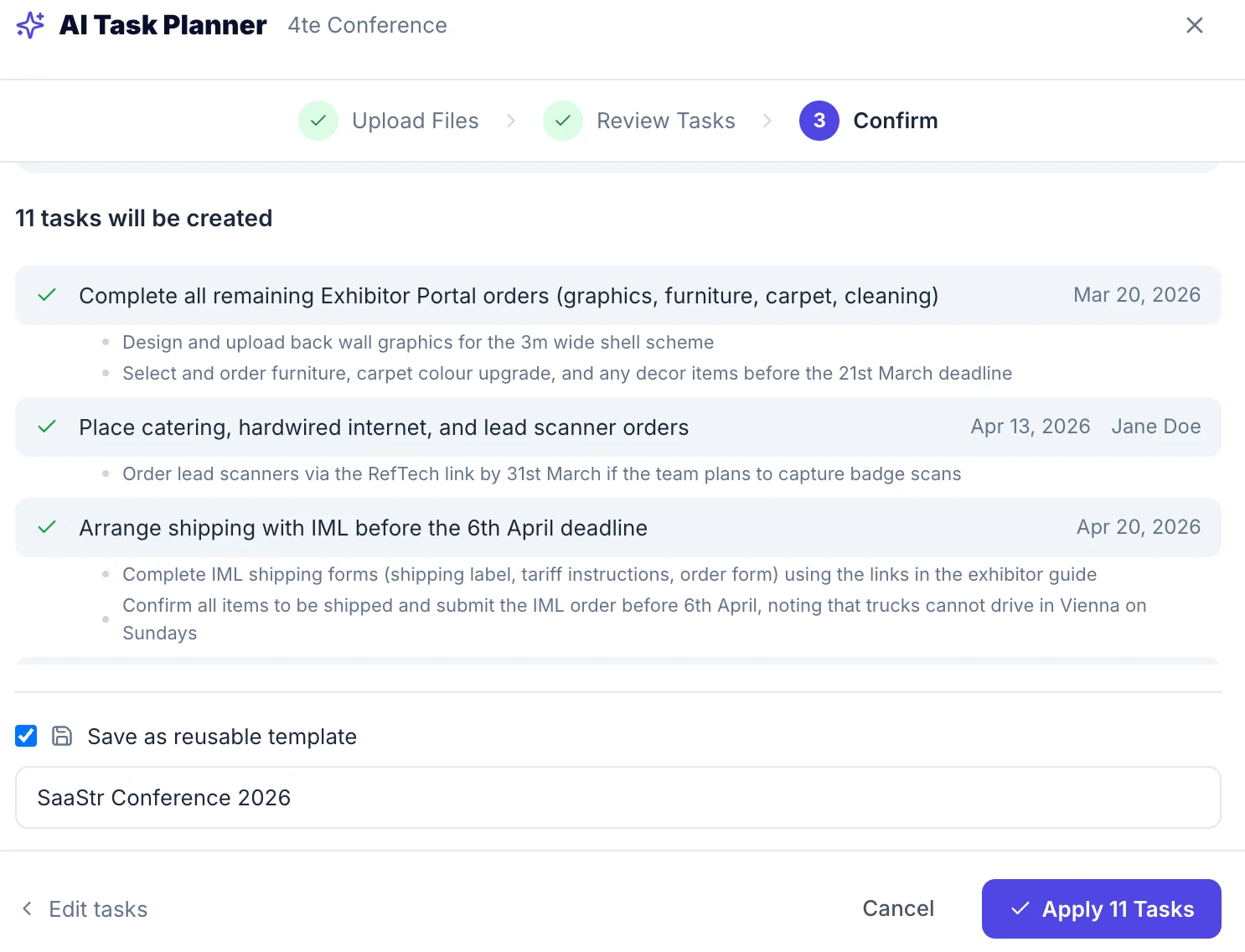
Once you're satisfied with the task list, you can save it as a reusable template. This is especially useful for recurring events. If you attend the same industry conference every year, you're not starting from scratch next time.
After saving, the tasks are added directly to your conference inside Conference Hero. Every task is now visible in your conference dashboard, trackable by team member, and connected to the event timeline.
Expected outcome: Your team enters the conference with a shared, structured plan. No digging through email threads or shared docs to figure out who's doing what.
Why This Matters for B2B Conference Strategy
Poor conference planning is expensive. The average B2B conference attendance costs between $5,000 and $20,000 when you factor in booth fees, travel, and staff time. Missed follow-ups or disorganized logistics erode that investment fast.
Agentic AI doesn't replace the judgment of a good sales leader or event marketer. It removes the manual, error-prone work of building the plan so that judgment can be applied where it matters.
Conference Hero's Agentic AI task planner is part of a broader platform designed to help B2B teams get more out of every event they attend. If you want practical conference strategy delivered to your inbox before your next event, subscribe to the Conference Hero newsletter.
Frequently Asked Questions
What types of documents work best with Conference Hero's AI task planner?
Exhibitor guides, conference agendas, venue logistics packets, and internal meeting prep briefs all work well. The more specific and detailed the documents, the more precise the generated task list will be. PDFs and Word documents are both supported.
Can I use the Agentic AI task planner if I'm attending a conference but not exhibiting?
Yes. The AI works for attendees, not just exhibitors. Upload the conference agenda, any networking event details, and your own internal goals. The context field is especially useful here to tell the AI what you're trying to accomplish as an attendee.
How many tasks does the AI typically generate?
For a standard B2B conference with one or two uploaded documents, expect 20 to 30 tasks and sub-tasks. Larger events with more complex logistics, or teams with multiple workstreams, may see more.
What's the difference between Agentic AI and a regular AI chatbot for conference planning?
A regular chatbot responds to questions you ask. Agentic AI takes action toward a goal. Conference Hero's planner doesn't wait for you to ask the right questions. It reads your documents, determines what needs to happen, and builds the plan. That's the core difference in how agentic systems work versus conversational AI.